Tuesday, 14 November 2023

Artist Research

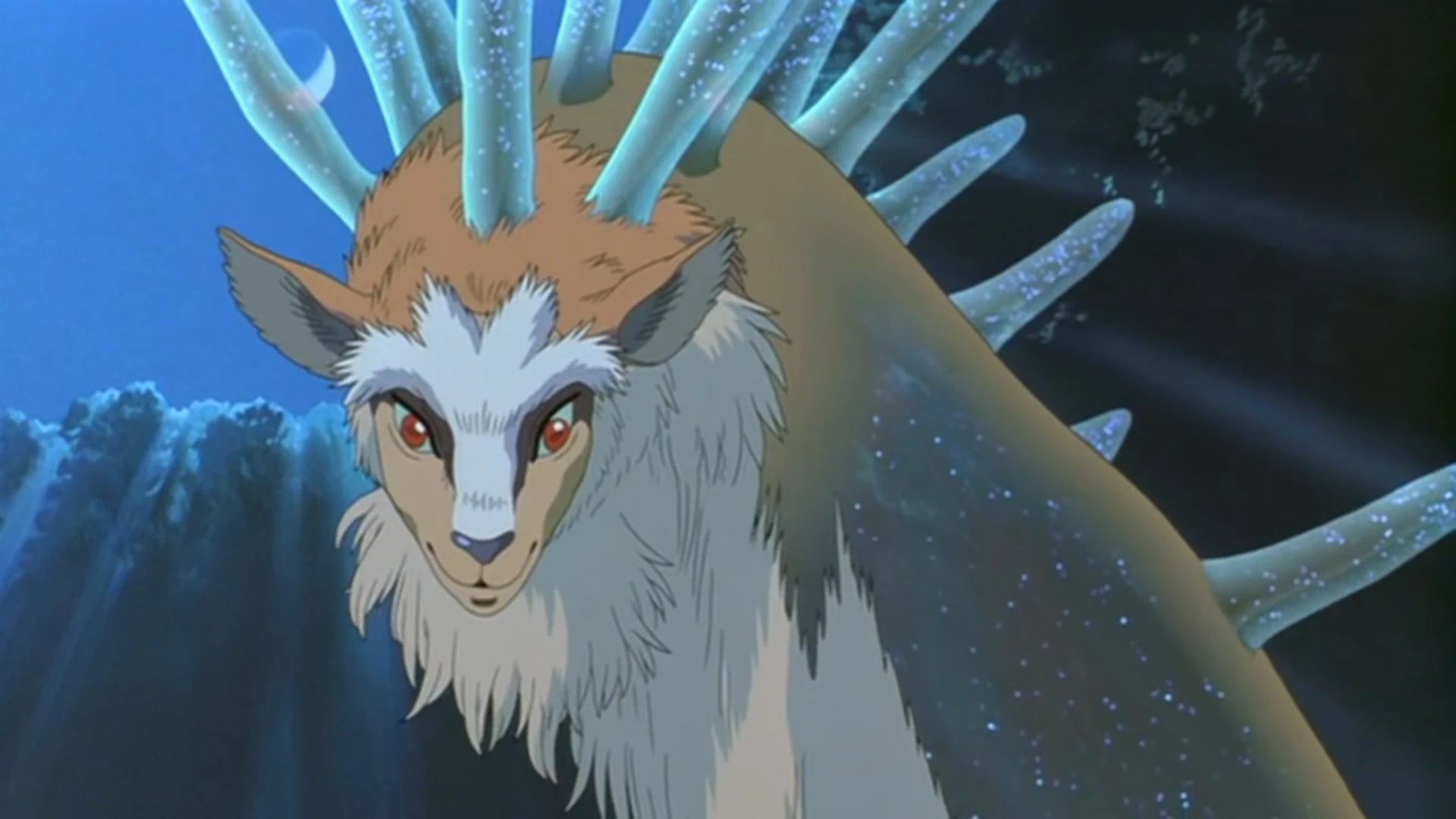
One of my inspiration in my ethnic jewellery project was "Princess Mononoke" from Studio Ghibli. The reason I chose this adaptation is because of the many references to spiritual beliefs and connections between people and nature. 


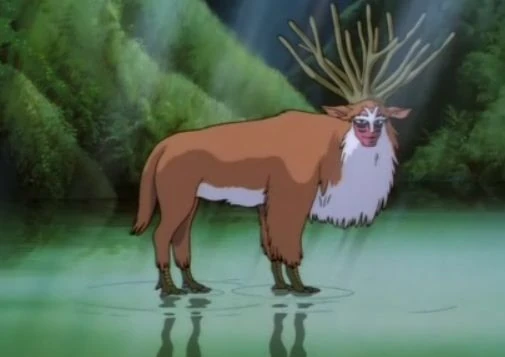
For example, it is there a Forest Spirit who is known as a god of life and death. This is shown by a scene in which walking causes flowers to come to life, only to then wither and die. This shows that this spirit keeps the balance in nature. (Little White Lies, 2017). These types of beliefs refer to a noticeable extent to the beliefs of native Americans. The very idea of having gods dealing with different aspects of life is deeply interconnected. The animation's color scheme has a dark vibe and a lot of contrast.


The common fact is that native Americans had their gods not in human form (Rhodes, 1991), but mainly in animal form. In the Studio Ghibli animation I chose, the example god of the forest is also an animal, in a sense, because it is a mix of several animals combined together: the horns and torso are a deer, the face is a monkey and the legs are chickens.

I feel a strong connection with nature in this animation, so it is a very inspiring item for my ethnic jewelry project. 


Another aspect that inspires me is the fact that the title character wears a mask with animal fur as part of her outfit. Her face is decorated with ethnic paintings and she has jewelry around her neck, which is also probably of animal origin. One of the necklaces resembles a crystal/natural stone that comes from mother nature. All this has a strong connection with my vision of ethnic jewelry. Combining the element of a mask and ethnic patterns on faces is one of several aspects that I consider in my designs. The use of crystals/natural stones is an integral element in my projects.


References:

Footprints of a god – in praise of princess mononoke (2022) Little White Lies. Available at: https://lwlies.com/articles/princess-mononoke-studio-ghibli-hayao-miyazaki/ (Accessed: 14 November 2023).

Rhodes, John (January 1991) "An American Tradition: The Religious Persecution Of Native Americans." p.15. Montana Law Review Volume 52, Issue 1, Winter 1991


Thursday, 9 November 2023

Creating a website: Logo

I stared creating the logo in Canva. From the available templates , I choose the one that would best suit my ethnic jewellery project- Roots Of The Jewellery. I chose the visible pattern because of the image, which looks like a plat growing from a root
.


Next, I slightly changed the color of the image changed the already existing text to the name of my project for which the logo is made. 


After these general aesthetic treatments, this is what the effect of my work looks like. I tried to change the inscription font, but none of the available fonts suited me. That's why I decided to use another program. 


Then I makes some changes in Illustrator. Like I changed font of the text and make it more in ethnic vibes. I use for that text editor in Illustrator. Then I choose to make the text in the same color as the picture icon so I use eyedropper tool


I decided to use the Image Trace option, then Make and Expand. This gave me the ability to separate the background from the images.  It also made everything lose its colors, making the image completely black.


Next, I use Direct Selection tool and deleted white background to separate to selected images. With his type of procedure, the font usually does not look good. In my case, I wanted to change it anyway, so it doesn't matter. 


Then I added the original logo image to the program so that I could copy the colors using the Eyedropper Tool.  This is reason why I decide to use this program and all these function- to be able to use the same colors as in the image and in the text. 


Finally, I could choose a matching font for my logo. I decided to use font named Chiller. 


Then, I make a little experimental thing with strokes on the images but it didn't work for me. It wasn't the look I was looking for. 


The final effect. 

Tuesday, 7 November 2023

Roots Of The Jewellery: Project Plan

I use the venngage program to create this project work plan. I chose one of the ready-made templates and modified it. I changed the existing images to those that I used in my previous work on Milanote board. When I selected images from my computer, they were added in their original shape, so I changed them to a circle shape to match the design of the template I had chosen. To do this, I used the editing tools available in the software. To do this, I selected the photo I wanted to change by clicking on it, and then selected from the available shapes the one that suited to my design.


Then briefly describe in the text box what I intend to do during the selected week of my classes. I tried to arrange the photos and text so that everything was visually clear and legible.

This is the final look of my work plan, which I have to stick to if I want to do everything on time.


Gallery Page


As you can see, the gallery section still has sample photos. In the near future they will be turned into my own jewelers design draws. I try to change the background to my own short video in the background but I failed. I will try to do it again. 

Create a Website: Contact Page and Social Media

In this part of the website, I decided to change social media from the already available on a website to these I consider as a necessary. For example I changed Facebook page icon for my Gmail, Pinterest icon for My Blog icon.  


I decide to leave the Instagram icon and connect it to my work from 2D3D Processing classes. 


Next, I stared editing the Contact Page area. I decide to change the background photo. I use a Unsplash page for my photo research. First I choose one with night sky and stars, but it come out to dark.
 

So I decided to use a lighter theme in the photo to avoid the overwhelm effect. 


This version turned out to be much better. I also slightly changed the shape of the button to make it more streamlined and edited the font to the same one as the rest of the text on the website. 
Next, I edit the text background the "contact me" area. I decide to change the color and filling, to make it more transparent and legible. 


This is how it looks like in the end


Creating a website: About me Page


My name is Aleksandra and I am a student of DMUIC located in Leicester. My goal is to study a Crafts Design in the next academic year.  I really enjoy making some crafts in my spare time. I enjoy doing things with my own hands, adding different things, mixing different styles, textures together. Just enjoin the process. 


The ethnic aspect is mainly presents in my creations. The inspirations to my works are the cultures and believes of native Americans.I would like to connect everything like: religious aspects, colors and the textiles they use in my ethnic jewelry projects.  


I decide to add my photo, because I read once that it gives a positive impression to the person who views our website/products. People like to associate a specific person with their work. From my own experience, I believe that it is actually a good  move. 


Next I changed the photo shape from original squire shape to round one using a tools available on the website. In the future I would like to change the photo to a more professional one. However, I really wanted to use what I have as best I can. I also added a sharper dividers at the bottom. 


This is what it looks like in the end 


Creating a website: Homepage


 This is how my Home Page looks now. I decide to change the "portfolio" into "gallery." where I will publish my works for the main projects in the future. I also change the "about." into "about me." to way it is more obvious what it is about. 


I still didn't designed my logo yet I cant change the moon shape. I am thinking of adding my projects for ethnic jewelry that I created in Milanote program to the "project." section.  I think its a pretty good idea to show what things inspired me when I creating my projects.

Reflection: Art Portfolio 2

     In Art Portfolio 2, I learned techniques for developing ideas. The classes showed me how to evolve,  my ideas, and change and improve ...